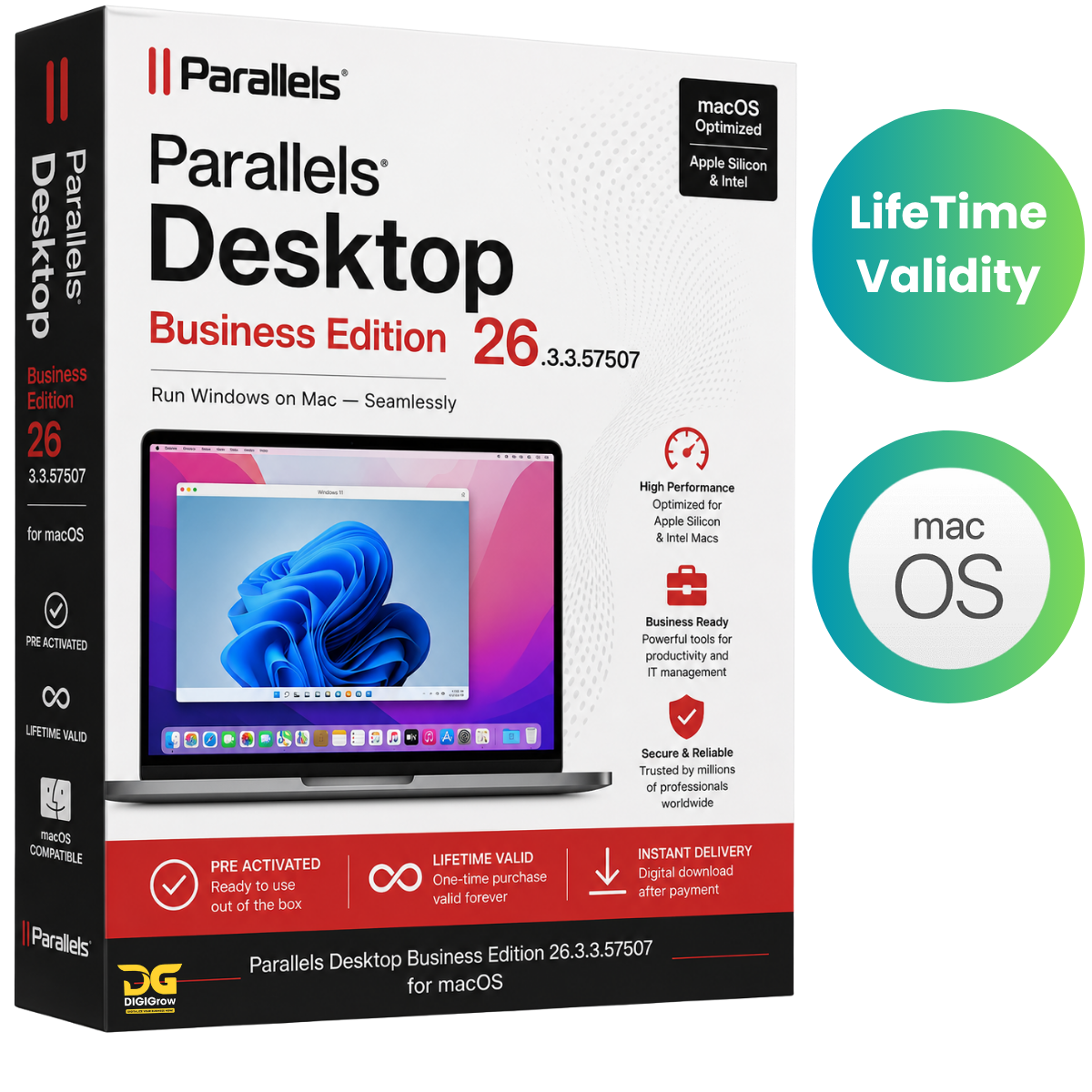

Download Parallels Desktop Business Edition 26.3.3.57507 for macOS
Parallels Desktop Business Edition 26.3.3.57507 for macOS is a powerful virtualization solution that allows you to run Windows and macOS applications side by side without restarting your Mac. Designed for businesses, IT administrators, developers, and professional users, it delivers a seamless experience for running Windows, Linux, and other operating systems in virtual machines while maintaining the speed and reliability of macOS.
Whether you need Windows-exclusive software, Microsoft Office for Windows, development environments, or enterprise applications, Parallels Desktop Business Edition provides a fast, secure, and efficient way to work across multiple operating systems on a single Mac.
Why Choose Parallels Desktop Business Edition?
- ✅ Pre Activated for LifeTime
- ✅ Lifetime Activation
- ✅ Instant Digital Download
- ✅ Easy to Install
- ✅ Full Business Edition
- ✅ Supports Intel & Apple Silicon (M1, M2, M3 & M4) Macs
- ✅ Run Windows and macOS Applications Simultaneously
- ✅ Optimized Performance
- ✅ Business-Grade Security
- ✅ Enterprise Management Features
Key Features
Run Windows on Your Mac
Run Windows applications alongside your favorite macOS apps without rebooting. Switch effortlessly between operating systems and enjoy a smooth, native-like experience.
Develop and Test Across Multiple Operating Systems
Create and manage virtual machines for Windows, Linux, and other operating systems, making it ideal for software development, application testing, and cross-platform compatibility.
Access Windows Applications
Use Microsoft Office for Windows, Internet Explorer, accounting software, engineering tools, and other Windows-only applications directly on your Mac.
Fast and Responsive Performance
Enjoy high-speed virtualization that lets Windows applications run smoothly without slowing down your Mac. Optimized resource allocation ensures excellent performance even with demanding workloads.
Easy PC to Mac Migration
Transfer files, applications, user profiles, and documents from your Windows PC to your Mac quickly and easily with built-in migration tools.
Powerful Deployment Tools
IT administrators can create deployment packages to configure and distribute Parallels Desktop and virtual machines across multiple Mac devices with minimal effort.
Advanced Security Controls
Protect virtual machines with enterprise-grade security features. Restrict users from creating, deleting, cloning, or modifying virtual machines to maintain compliance and security.
Simplified Administration
Manage licenses, users, deployments, and updates through the Parallels My Account portal, reducing administrative workload and improving efficiency.
Corporate Windows Virtual Machines
Provide employees with secure access to standardized Windows virtual machines by configuring Corporate Windows images through the Parallels My Account portal.
USB Devices and Peripheral Support
Connect USB drives, printers, scanners, smart cards, external storage devices, and other peripherals directly to Windows virtual machines with full compatibility.
Optimized for Intel and Apple Silicon Macs
Fully compatible with both Intel-based Macs and Apple Silicon devices, including M1, M2, M3, and M4 processors, delivering excellent performance across all supported hardware.
Enterprise-Ready Management
Built for business environments with streamlined package management, centralized deployment, compliance controls, and secure device management.
Secure User and Device Access
Protect sensitive business data through advanced access controls, virtual machine protection, and Windows data security features.
Virtual Machine Expiry Management
Configure expiration policies for virtual machines, making it easy to manage temporary environments for contractors, testing, and training.
Seamless Integration Between Windows and macOS
Copy and paste text, drag and drop files, share folders, access cloud storage, and work across Windows and macOS without interruption.
Business Benefits
- Increase productivity by using Windows and macOS together.
- Run business-critical Windows applications on your Mac.
- Simplify software development and testing across multiple operating systems.
- Improve IT management with centralized deployment and administration.
- Secure virtual environments with enterprise-grade protection.
- Reduce deployment time using automated installation packages.
- Support hybrid work environments with flexible virtual machine management.
- Deliver a smooth user experience for professionals and enterprise teams.
Technical Details
Product Name: Parallels Desktop Business Edition
Version: 26.3.3.57507
Platform: macOS
License Type: Pre Activated
Activation: Lifetime Valid
Delivery: Instant Digital Download
Installation: Easy to Install
Supported Operating System: macOS 10.12 or later
Processor Support:
- Intel-based Macs
- Apple Silicon (M1, M2, M3 & M4)
Package Includes
- Parallels Desktop Business Edition 26.3.3.57507
- Pre Activated Software
- Lifetime Valid Activation
- Installation Guide
- Free Installation Support
Enjoy the flexibility of running Windows and macOS together with Parallels Desktop Business Edition 26.3.3.57507 for macOS. With enterprise-grade management tools, powerful virtualization technology, seamless integration, and optimized performance, it is the ideal solution for businesses, developers, IT professionals, and Mac users who need reliable access to Windows applications without compromising the macOS experience.